What this is, in plain words
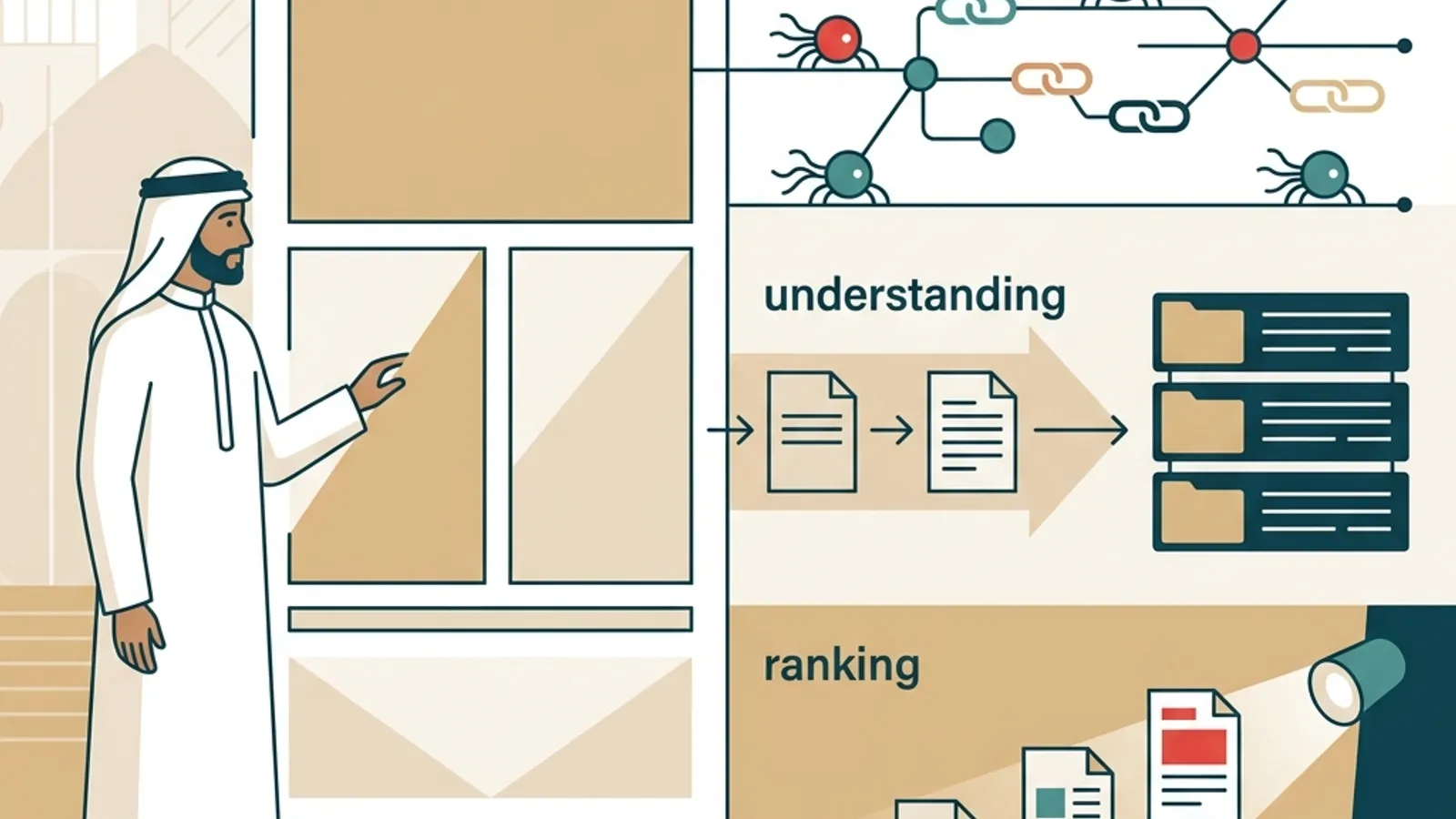
Technical SEO is the plumbing of your website. It decides whether Google and AI tools can open your pages, read them quickly and understand what they say. Nobody sees plumbing when it works. Everybody notices when it doesn't: a slow page, a button that lags, an Arabic page that is empty, a page Google can't reach.
For a clinic, a car dealer or an agency, most customers arrive on a phone. A page that takes too long to appear loses them before they read a word.
Why it matters now
Three Gulf cases I see again and again.
A Kuwaiti car dealer uploads 4 MB photos straight from the camera. The listing page looks great on the office computer and crawls on a customer's phone on mobile data.
A Hawalli clinic has an Arabic version of the site, but it sits behind a language button and has no address of its own. Google and the AI tools see one page, in English, and nothing in Arabic to show Arabic searchers.
A Riyadh services company blocked its whole site in robots.txt while the site was being built, and nobody removed the block after launch.
None of these needs a developer to discover. You can find all three yourself today.
The six-check self-test
- Speed on a phone. Open PageSpeed Insights, paste your homepage and your main service page, and read the mobile result.
- The three numbers. Google's Core Web Vitals give a good target for each: Largest Contentful Paint (how fast the main content shows) of 2.5 seconds or less, Interaction to Next Paint (how fast the page reacts to a tap) of 200 milliseconds or less, and Cumulative Layout Shift (does the page jump around) of 0.1 or less. Google measures these on real visitors at the 75th percentile, and a page passes only when all three are good. Interaction to Next Paint is the successor to the older First Input Delay.
- Your robots.txt. Open yourwebsite.com/robots.txt. If you see a line that says Disallow: / in the section for all crawlers (the section starts with User-agent and a star), you are asking every crawler to stay out.
- Your Arabic pages. Search Google for site:yourwebsite.com followed by an Arabic word from your service. Do Arabic pages come up? Is each language on its own address?
- Your schema. Paste a page address into Google's Rich Results Test. Does it find your business details?
- Search Console. Open the Pages report in Google Search Console. Look at the reasons pages are not indexed.
Eight fixes you can do yourself
1. Shrink your images
How: run each photo through a free compressor such as Squoosh before uploading. Aim for hundreds of kilobytes, not several megabytes. Ask your website builder to serve modern formats and the right size for phone screens. This is usually the biggest speed win.
2. Remove what you don't use
How: list every plugin, chat widget, pop-up and tracking script on the site. For each, ask: does it bring us customers? Remove the ones that don't. Heavy sliders and several chat widgets are common causes of a slow reaction time.
3. Hold the layout still
How: give images and banners a fixed width and height so the page doesn't jump when they load. If the phone number button moves while someone is about to tap it, you will lose that call.
4. Check that you are not blocking yourself
Google's robots.txt guide says robots.txt is mainly for managing crawler traffic. It is not a way to hide a page from Google. To keep a page out of search, use a noindex tag. How: open your robots.txt, and if it blocks the whole site or your service pages, ask your developer to remove the rule today. Our robots.txt tool can build a correct file.
5. Give each language its own address
Google's guide to multilingual sites says each language version needs its own URL and should list itself and all the other versions with hreflang tags. Links must point both ways, or the tags are ignored. How: make sure /ar/ and /en/ pages exist for your main pages, and ask your developer to add the hreflang tags. Google says it doesn't detect language from the tags themselves, so the page text must also be in the right language.
6. Write the Arabic page properly
How: have a native speaker write the Arabic page, with the same facts as the English one: services, prices, hours, address. The layout should be truly right-to-left, not an English layout with Arabic pasted in.
7. Add structured data
Google says structured data gives it explicit clues about what a page means. It does not guarantee rich results, and the required properties must be included. How: use our schema generator for LocalBusiness or Organization, add it to your page, then test it with the Rich Results Test. Test again after publishing, because templates can break it.
8. Say hello to AI tools with a facts file
How: build a small file with our llms.txt tool that points to your facts page and key guides. I can't promise any AI company reads it. It takes five minutes, so I add one anyway.
What this can and cannot do
Technical fixes remove obstacles. They don't create demand. A fast site with weak content still won't rank, and no schema makes an AI tool name you. Google's page on AI features says there are no extra requirements for AI Overviews or AI Mode. A page has to be indexed and eligible to appear with a snippet. That is what this checklist protects.
How to know it worked
Re-run PageSpeed Insights on the same pages once a month and keep the numbers in a sheet. Check Search Console for pages moving from "not indexed" to indexed. Search your Arabic keywords and see whether the Arabic pages appear. Speed changes show within days. Indexing and ranking changes take weeks.
If you would rather not do it by hand
Everything above works without us. If you want the AI part checked, DigitalCite's free GEO report shows what the AI tools say about your business. You can also use our free SEO checker, or book a call and I will go through your site with you.
Key takeaways
- Check speed on a phone first; Google's good targets are LCP 2.5s, INP 200ms and CLS 0.1
- Make sure robots.txt isn't blocking your site, and remember it doesn't hide pages from Google
- Give Arabic and English each their own address with hreflang, and real Arabic text
- Schema and llms.txt make your facts clearer; they don't guarantee ranking or AI mentions